NASB Mobile Banking App

Bank anytime, anywhere with the NASB mobile banking app. Use it to check account balances, review recent transactions, deposit checks directly through the app, and more!

plus app image

Key Features

Set up-recurring online bill payments

Deposit checks without visiting a branch

Easily and securely transfer money


NASB's mobile banking app gives you 24/7 free, instant access

You are in control of when, where, and how you bank. These online banking services are secure and free! 1Just open a NASB account, complete our online banking registration process, download the app, and you're ready!  With NASB Digital Banking, you can:

  • View account balances and review transaction history.
  • View and print images of paid checks.
  • Make real-time transfers between your eligible NASB accounts.
  • Get account alerts regarding specified account activity.
  • Deposit paper checks via Mobile Check Deposit.
  • Sign up for e-Statements and access up to three months of printable statements as soon as they are available.
  • Pay bills from multiple accounts and schedule payments up to a year before the due date. Set up recurring payments to be made automatically at the specified frequency.2
One scroll access to finances

Easily access all your financial information with one scroll.


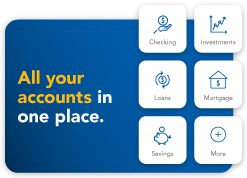
All accounts in one place

Connect NASB and external financial accounts including checking, savings, loans, and retirement accounts.


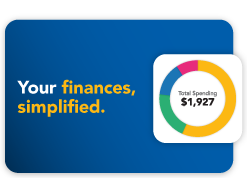
your accounts simplified

Track your income and expenses, create automated budgets and debt reduction plans, and view your net worth.


Plus all the features

Access Bill Pay, deposits, transactions, payments, and transfers in the palm of your hand.


To download the NASB mobile banking app, search for "NASB North American" in one of the following app stores:


Download it on iTunes               Get It On Google Play


NASB Mobile Banking App Frequently Asked Questions

The mobile banking app contains many of the same core features as the desktop site.
There are two easy ways to pay bills using NASB’s Mobile Banking app. You can use the Bill Pay service or transfer money between NASB accounts to make a credit card or loan payment.
No, NASB does not charge a fee for using NASB mobile services or downloading our mobile app. However, you should check with your wireless carrier, as message and data rates for your mobile device may apply from them. For mobile text/SMS, it might cost you more, as some carriers charge for text messaging depending on your plan. For mobile web and our mobile app, you need to have a plan that supports "data", which could cost you more.
If you own an iPhone or Android  smartphone, you can download the App (or Launcher) directly to your mobile device. Simply search for NASB North American in your device’s app store. 
Alerts are notices that you set up to automatically alert you when select activity occurs on your accounts. Alerts are sent through text or email directly to your mobile device and are an easy, effective way to keep track of your account activity and to monitor your accounts for fraudulent transactions.
The paper check should be retained for a minimum of 30 days.
$1,000 per business day; daily deposit limits may vary for users of other services provided by NASB.
NASB Mobile Check Deposit works by using the camera on your phone to capture an image of the check. The image is processed the same way as making a deposit at a branch or at an ATM.
  • Make sure the check amount entered matches the amount written on the check
  • Verify that the back of your check is signed (endorsed)
  • Flatten folded or crumpled checks before taking pictures
  • Keep the entire check within the on-screen corners when capturing your picture
  • Capture the picture in a well-lit area
  • Place the check on a contrasting background before taking pictures
  • Keep the phone flat and steady above the check when taking pictures
  • Make sure the entire check image is visible and in focus before submitting your mobile deposit
  • Make sure the signature on the check doesn’t flow into the MICR line (the series of numbers that appear along the bottom of your check)
NASB customers who are 18 and over, and who have an active checking or savings account, online banking with NASB, and a mobile device such as an iPhone, Android, or a tablet.
  1. From your Apple device, open the Google Play Store app.
  2. Tap Menu.
  3. Tap Settings.
  4. Tap Auto-update apps.
  5. Choose an option:
  6.    a. Over any network to update automatically over cellular data or Wi-Fi.
       b. Over Wi-Fi only to update automatically when connected to Wi-Fi.

The following accounts are accessible with NASB Mobile:

Text Banking gives you the ability to access your eligible accounts from a mobile phone or device via text messaging. To use this service, you must first enroll by adding your mobile number for “Text Banking” in Online Personal Settings/User Profile. Simply text NASB with text commands to view account balances, and transfer funds quickly and easily (ex. BAL returns the balance on our primary checking or savings account). Standard text messaging rates may apply. Check with your mobile service provider for fees and charges.
If you are having trouble using your Android device for mobile check deposit, please click here and scroll to the bottom for set up instructions. 
e-Statements are only accessible through NASB’s Online Banking.

Some common reasons checks may not deposit:

  • Fields or characters on a check image that are difficult to read
  • Missing or illegible signatures
  • Duplicate check image
  • MICR Line (the series of numbers and symbols that appear along the bottom of your check) issue
  • Maker's signature loops into the MICR line
  • Check background image causes dark areas to appear in the MICR Line
  • Fold lines on the check causes shadows in the MICR Line
No, a check can only be deposited to a single checking or savings account using mobile deposit. After the deposit has been credited to your account, you can then make transfers to other accounts.
Deposits submitted on a normal bank business day before 4:00 pm CST will generally be posted to your account the same business day. Deposits made after 4:00 pm CST or on weekends or holidays will generally be credited the next business day. Deposits will be available within two business days after the deposit is credited unless you are notified. Our standard hold policies apply, and any holds placed are at the sole discretion of NASB.
The check should be signed and accompanied by the verbiage, "For Mobile Deposit Only - NASB."
Please use a bright light and contrasting background to prevent shadows and poor image quality. Keep your hands and other objects clear of the check while taking the picture.


What Our Customers Say
Judith S., January 23, 2024
★★★★★ (5)

"We have savings in many different banks, and NASB contacted us to suggest one of their higher-yield savings accounts. No other bank has ever done that for us and our accounts. Wonderful service above and beyond!"

Nationally competitive products. Individualized service.

product-bg

1Cell phone protection is $400 per claim, up to $800 per year. Cell phone protection and personal identity theft benefits are subject to additional terms and conditions. Participating merchants on BaZing are not sponsors of the program, are subject to change without notice, may not be available in all regions, and may choose to limit deals. Internet and/or wireless service provider charges may apply.

2Insurance products are: NOT FDIC INSURED, NOT A DEPOSIT, MAY LOSE VALUE, NOT INSURED BY ANY FEDERAL GOVERNMENT AGENCY, NOT GUARANTEED BY NASB.